
A Postmark inbox placement test should use the same Message Stream and submission path as the email you intend to evaluate. Send an original message through that route to LDM's test addresses, then inspect the observed folders. An Inbox result from a transactional receipt does not validate a newsletter sent through a different Broadcast stream.
It is easy to focus on the visible From address and overlook the route behind it. Two messages can display the same sender while being generated by different application code, using different templates, or selecting different streams. A useful test records those choices rather than treating the sender address as a complete description of the experiment.
This guide explains a manual recipient-based workflow. It does not assume that LDM connects to your Postmark account or chooses a stream for you.
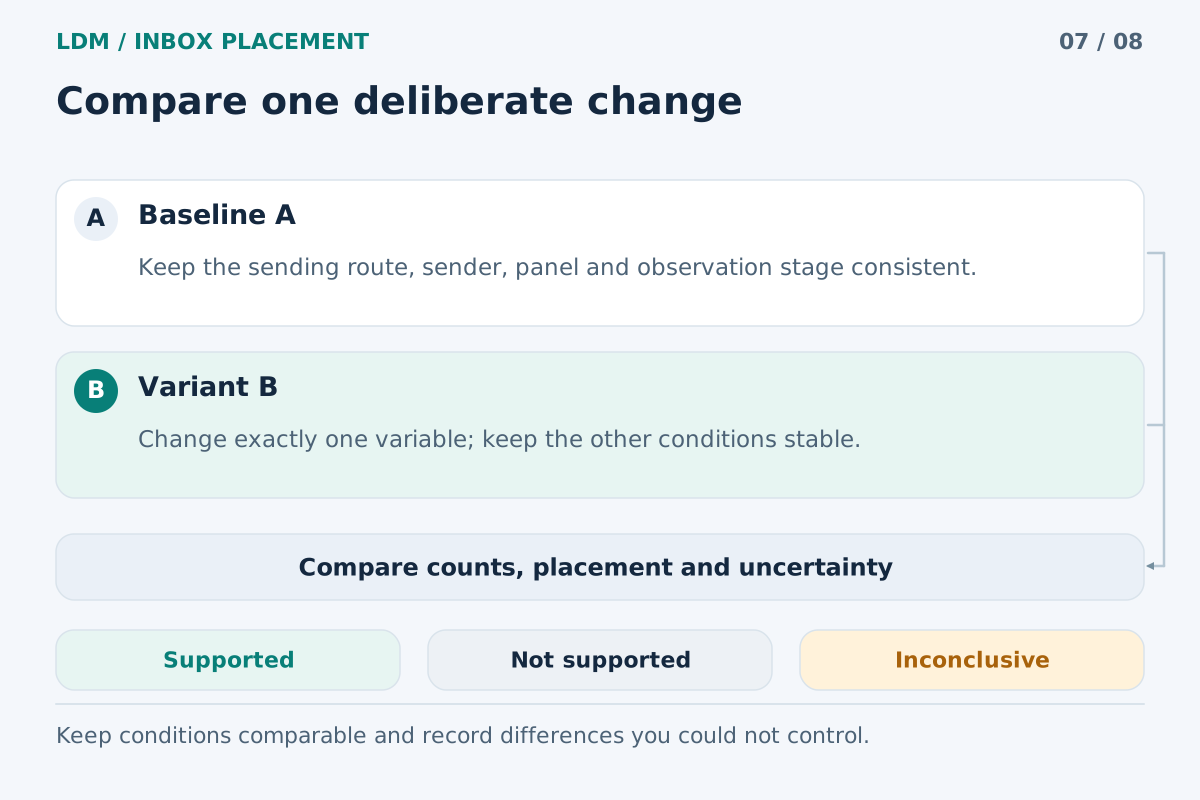
A controlled comparison can narrow a hypothesis; one result cannot prove a universal fix.
Understand what the stream represents
Postmark distinguishes Transactional streams for messages such as user-triggered receipts from Broadcast streams for one-to-many messages such as newsletters. Its Message Streams guide also explains that the server's original Transactional stream remains the default. Creating another stream does not make it the default.
Choose the appropriate class from the real communication's purpose and workflow. Automation alone is an incomplete shortcut: a scheduled newsletter does not become a receipt because software sends it. Postmark's Transactional vs. Broadcast guidance gives additional characteristics for cases that need closer review.
Keep a test message in the class appropriate to the intended send. A placement experiment is useful only if it evaluates a route you can legitimately use for that message type.
Stream selection differs between API and SMTP
For API sending, Postmark documents a MessageStream parameter containing the Stream ID. If the stream is omitted, the server's default Transactional stream is used. Include the intended ID explicitly when testing another stream, and verify the effective request rather than relying on a variable's descriptive name.
SMTP requires attention to both routing and authentication. Postmark documents smtp.postmarkapp.com for Transactional messages and smtp-broadcasts.postmarkapp.com for Broadcast messages. Its SMTP and token reference describes two approaches: a server token with a stream-selecting header, or an SMTP Token specific to a stream. The stream guide identifies the header as X-PM-Message-Stream.
An application that silently drops custom headers needs special attention. Confirm what the mailer actually submits. Where appropriate, use Postmark's documented stream-specific SMTP authentication option rather than assuming a header survived the framework's sending process.
Run a representative placement test
1. Define the intended communication
Select one concrete message: a password-reset notification, an invoice receipt, a product update, or a newsletter. Identify the appropriate stream and the actual application path responsible for sending it.
Use safe fixture data that produces the final message shape. Keep the intended subject, sender identity, body versions, links, and attachments. Preserve unsubscribe features and headers required for that communication. A test should not remove these elements to produce an artificially simplified result.
2. Capture the route before sending
Record the Postmark server identifier, Stream ID, API or SMTP submission method, application revision, and template version. For SMTP, record the host and authentication method without recording the token itself. For API requests, record the effective MessageStream value.
Include relevant custom-header and tracking behavior. A short route record makes it much easier to explain why a hand-built diagnostic message and a scheduled application job are not necessarily equivalent.
3. Prepare a finite test recipient set
Create a test at LDM Inbox Placement using the actual sender, then obtain its current recipient addresses. Confirm that the account and workflow permit this test.
Keep those recipients outside permanent audiences, warmup activity, and recurring automations. If your application requires temporary test records, isolate them from normal customer selection and ensure they cannot trigger later sends. Do not bypass suppressions to force a delivery.
4. Generate an original through the selected stream
Use the application's normal rendering and submission logic with the bounded recipient set. Do not forward a message from an employee inbox: that creates a different sending path and a different message context.
Check the effective route immediately before the send. For an API path, confirm the intended stream value. For SMTP, confirm the host and the actual mechanism selecting the stream. Keep any deliberately changed configuration in the test record.
5. Confirm which stream handled the message
Inspect the available sending activity for the actual test message. Match its recipient, time, and message reference to your application record, then confirm the stream associated with the send. Do not assume that a template's name or a job's label proves the route used.
Keep submission errors and delivery outcomes separate from mailbox placement. If a message never became eligible for delivery, diagnose that stage before making conclusions about a recipient's filtering decision.
6. Interpret the received copies conservatively
Read the report using LDM's methodology. Missing or unknown is not Spam. Promotions and similar categories are received locations, distinct from primary Inbox and Spam.
The 24-hour observation follows the same received copy rather than sending another message at each checkpoint. Save measurement times with the observed folders. A later check failure does not establish a new location or invalidate a previous confirmed finding.
Hypothetical example: an omitted stream parameter
Imagine an engineer reuses a receipt-testing utility while preparing a product-announcement test. The utility omits MessageStream, so it selects the server's default route. The resulting message appears in an Inbox, and the team initially records the announcement workflow as verified.
This is a hypothetical configuration mistake, not a recommendation to send announcements through a Transactional stream. The observation belongs to the route that actually handled the message. It does not validate the intended Broadcast configuration.
The team identifies the mismatch, selects the appropriate Broadcast stream explicitly, and performs a separate bounded test with the final announcement. Any resulting differences should be reported with the route change. A different observed folder would not, by itself, establish that the stream choice caused the change.
What a useful test record contains
Preserve four related items: the final message specimen, the effective route, the sender-side outcome, and the mailbox observations with their timestamps. Keep identifiers that connect those items, while excluding credentials and unnecessary personal data.
When repeating a test after a template or routing change, document exactly what changed. A full migration test can validate a new setup operationally, but it cannot isolate the effect of one element if several changed together.
Your result also remains limited to the observed recipients. It does not predict every subscriber's rules, prior interaction, or future treatment. Successful authentication is useful evidence, but it does not guarantee an Inbox result.
Frequently asked questions
Does a new Postmark stream automatically become the default?
No. Postmark retains the server's original Transactional default. Explicitly select another intended stream and verify the actual send record; do not rely on the order in which streams were created.
Can I use one successful receipt test to approve my newsletter?
No. The newsletter has its own content, audience context, and appropriate route. Test that specific workflow with its final message and required unsubscribe features.
What if my SMTP client cannot add the stream header?
Review Postmark's documented per-stream SMTP Token option and use the correct SMTP host. Confirm that your client supports the resulting configuration before treating it as equivalent to the intended send path.
Does a missing copy mean I selected the wrong stream?
No. Inspect the effective configuration and sending evidence to establish the stream. Missing or unavailable mailbox evidence does not identify the cause, and it must not be converted into a Spam result.
Should I compare streams by repeatedly sending to the same seeds?
Use bounded, documented experiments for a legitimate diagnostic question. Keep the message class appropriate, obtain the current test recipients, and avoid adding seeds to ongoing sending or warmup processes.
Verify the stream as part of the message
Start an LDM placement test for the particular Postmark workflow you intend to evaluate. Preserve the route and the original message so the observed result has a clear, reviewable meaning.